
TL;DR
- A link in bio page puts all your important links in one place.
- Setup takes about five minutes: sign up, pick a template, add links, publish.
- Keep it to 4 to 6 links with clear button text.
- Check analytics weekly and remove what nobody clicks.
What is a link in bio page?
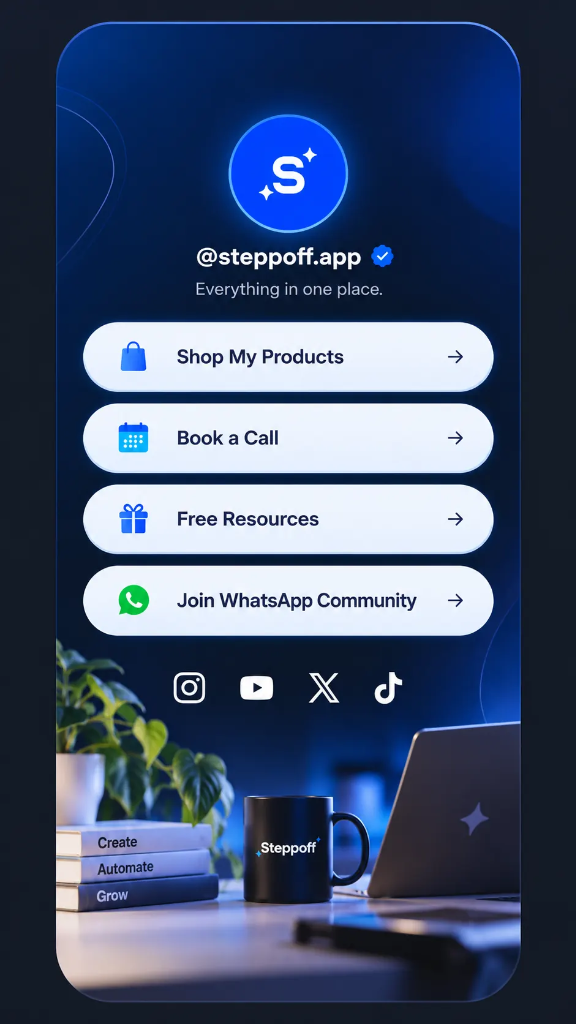
Most platforms let you add only one clickable link to your profile. A link in bio page solves that by giving you a single URL that opens a mobile friendly page with all your links, like your website, latest video, store and contact details.
Instead of changing your bio link every week, you update the page once and the link stays the same everywhere.
Why every creator needs one
Visitors decide in seconds. A clean page guides them to the one action you want, whether that is subscribing, buying or booking a call.
Set up your page in 5 steps
Follow this simple 5-step checklist to get your high-converting page published today:
- Create your free account and choose a username.
- Pick a template that matches your brand colors.
- Add your profile photo, name and a one line bio.
- Add your links with short, action based button text.
- Publish and paste the link in your Instagram, YouTube and X bios.
Common mistakes to avoid
Many creators launch their bio page but fail to see clicks. Steer clear of these four common traps:
- Adding too many links so visitors feel lost.
- Using vague button text like 'Click here'.
- Ignoring mobile view, where most traffic comes from.
- Never checking analytics.
| Do | Don't |
|---|---|
| 4 to 6 focused links | 15 links with no order |
| Watch Free Guide | Click here |
| Review analytics weekly | Set it and forget it |
Conclusion
A good link in bio page is simple, fast and focused on one goal. Set it up today, share it everywhere and improve it using what your analytics tell you.
Growth Engineer at Steppoff. Builds tools that help creators turn one link into a growth engine.